

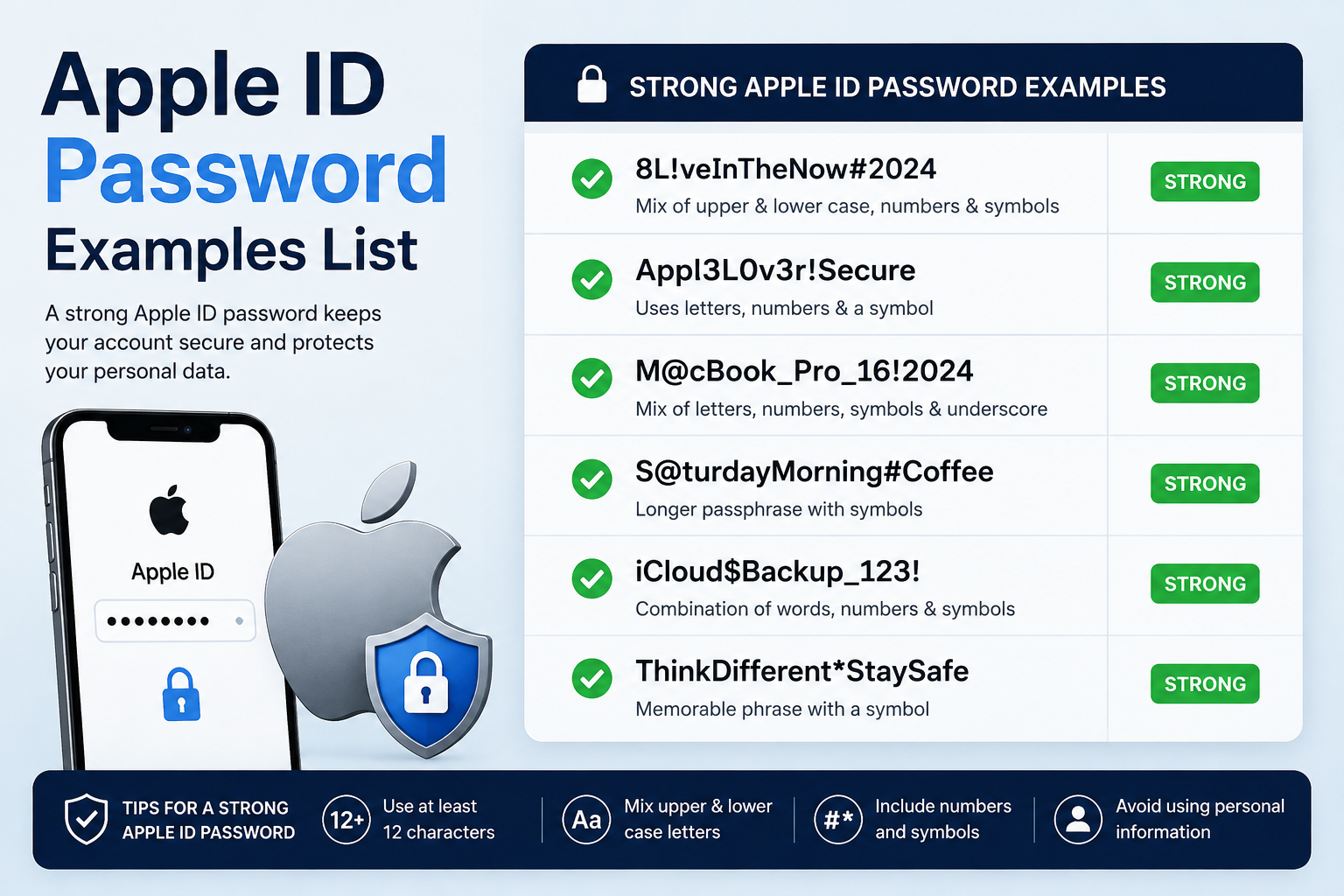
Looking for an Apple ID password examples list? Whether you're creating a new Apple Account password or replacing a weak one, the best approach is to understand Apple's requirements first and then create something unique that nobody else can easily guess.
Apple now calls an Apple ID an Apple Account, but the older term is still widely used in searches and everyday conversations. The password requirements remain important because your Apple Account can provide access to services, devices, purchases, iCloud data, and other personal information.
This guide covers Apple ID password examples, strong password ideas, Apple's current requirements, weak password patterns to avoid, and practical ways to protect your account.
Important: Never copy an exact password from an article, PDF, Reddit post, or website and use it for your real account. The examples below are for learning and pattern-building only.
Apple ID Password Requirements at a Glance
Apple's official security documentation states that Apple Account passwords must be at least eight characters long, contain both letters and numbers, avoid three or more consecutive identical characters, and not be commonly used passwords. Apple also encourages users to go beyond these minimum guidelines by adding extra characters and punctuation.
This distinction matters because some websites describe special characters as mandatory. They are not listed by Apple as a baseline requirement in its security overview. However, adding punctuation and using a longer, unique password can make your password stronger.
Apple's security guidance also recommends two-factor authentication as an additional layer of protection.
Apple ID Password Examples List
The following Apple ID password examples list is designed to show different approaches to creating a password. Do not use these exact strings for your account because they are now publicly available.
8-Character Apple ID Password Examples
Eight characters is the minimum length described in Apple's security guidance, but meeting the minimum does not automatically make a password highly secure.
Illustrative examples:
Maple7!Q
River4#K
Cloud8@T
Nova5$L
Tiger9&V
These demonstrate the general idea of combining letters and numbers, with optional punctuation. For an important account such as an Apple Account, using a longer password is generally preferable.
10-Character Apple ID Password Examples
Adding length gives you more room to create a password that is difficult to predict.
Illustrative examples:
Cedar7!Moon
River9#Stone
Cloud4@Leaf
Silver8$Fox
Winter6&Star
Don't simply copy one of these patterns word-for-word. Instead, use the concept to create a password that is unique to you without relying on obvious personal information.
12-Character Apple ID Password Examples
A 12-character password gives you substantially more room for complexity and unpredictability.
Illustrative examples:
Cedar!Moon7Qx
River#Stone4Lp
Cloud@Forest8Mz
Silver$Tiger6Vk
Winter&Star9Np
These examples are deliberately presented as patterns rather than passwords to copy.
14–16+ Character Password Examples
Longer passwords are often easier to make both memorable and difficult to guess.
Illustrative patterns include:
Cedar-Moon-River-7
Silver!Forest!Cloud9
Winter$Garden$River42
Maple#Ocean#Stone7Q
BlueRiver!CedarMoon84
A password manager can also generate a completely random password instead of relying on a memorable pattern.
Strong Apple ID Password Examples
A strong Apple ID password should be unique, difficult to predict, and not based on information that someone could discover about you.
Random Password Examples
Random passwords can contain an unpredictable combination of letters, numbers, and punctuation.
For example, a generated password might look like:
rK7!vP2#Lm9@Qx4
This is only an illustration. A password manager should generate your actual random password rather than using an example published online.
Memorable Password Examples
Some people prefer passwords they can remember. A passphrase-style approach can combine several unrelated words with numbers or punctuation.
For example:
Cedar-Rocket-Moon-47
The important point is not the exact phrase. Instead, choose unrelated words that are not connected to your personal life and create your own combination.
Long Password Examples
Long passwords can provide a useful balance between memorability and security.
A pattern such as:
River!Cedar!Planet!82
illustrates how several unrelated elements can be combined. Again, don't use the published version.
For maximum convenience, consider allowing a password manager to generate and store a unique password for your Apple Account.
Apple ID Password Examples You Should Avoid
Not every password that looks complicated is actually a good choice. Attackers commonly test predictable patterns and passwords that have appeared in previous breaches.
Common Password Patterns
Avoid passwords such as:
Password123
12345678
Qwerty123
Apple123
Welcome123
These are examples of weak patterns, not recommended passwords.
Personal Information-Based Passwords
Avoid using:
Your name
Birthday
Phone number
Address
Pet's name
Family member's name
Favorite sports team
School or workplace
Simple combinations of these details
Information shared publicly can make these passwords easier to guess.
Reused Passwords
Never assume that an Apple Account password is safe simply because it works.
If the same password is used for email, social media, shopping, and your Apple Account, a breach at one service could put the others at risk. Use a different password for each important account.
Does an Apple ID Password Need a Special Character?
No. A special character is not listed by Apple as a baseline password requirement. Apple's security overview specifies at least eight characters, letters and numbers, no three or more consecutive identical characters, and no commonly used password. Apple recommends adding extra characters and punctuation to make passwords stronger.
This means there is an important difference between required and recommended.
If you're creating a strong password, adding symbols such as !, @, #, or $ can be useful. However, simply taking a weak password such as Password123 and adding ! does not magically make it a strong password.
A better approach is to start with a unique, unpredictable password and make it sufficiently long.
How to Create a Strong Apple ID Password
Creating your own password is straightforward if you follow a few rules.
1. Start With Something Unique
Don't reuse a password from another website. Your Apple Account should have its own password.
2. Make It Longer Than the Minimum
Eight characters is Apple's minimum, but you don't have to stop there. A longer password gives you more room to create an unpredictable combination.
3. Use Different Character Types
Combine letters and numbers, and consider punctuation for additional complexity.
4. Avoid Predictable Information
Don't build your password around your name, birthday, phone number, or other information that someone might find online.
5. Avoid Obvious Patterns
Don't rely on sequences such as:
12345678
or predictable substitutions such as:
P@ssw0rd123
Attackers can test these common variations.
6. Store It Securely
A password manager can generate and remember a unique password for you, reducing the temptation to reuse passwords.
7. Enable Two-Factor Authentication
A strong password is only one part of account security. Apple uses two-factor authentication to add another layer of protection when signing in on new devices.
Apple ID Password vs. Apple Account Password
Apple changed the terminology from Apple ID to Apple Account. The company says you can still sign in using the same email address or phone number and password.
So if you're searching for an Apple ID password example, Apple Account password example, or iCloud password example, you're generally looking for the password associated with your Apple Account.
The terminology has changed, but the practical goal is the same: protect the account credentials you use to access Apple's services.
How to Know If Your Apple ID Password Is Strong
Use this quick checklist before saving a new password:
✓ It has at least eight characters.
✓ It contains letters and numbers.
✓ It doesn't contain three identical characters consecutively.
✓ It isn't a common password.
✓ It isn't based on obvious personal information.
✓ It isn't reused on another website.
✓ It is longer than the minimum when practical.
✓ It is unique to your Apple Account.
✓ Two-factor authentication is enabled.
If your password only barely satisfies the requirements, consider replacing it with a longer and more unique one.
How to Change or Reset Your Apple ID Password
If you know your existing password, Apple recommends using a trusted Apple device to change it. On an iPhone or iPad, go to Settings > [your name] > Sign-In & Security > Change Password, then follow the onscreen instructions.
On a Mac, Apple provides the equivalent option under System Settings > [your name] > Sign-In & Security > Change Password. Apple also provides web-based options when a trusted device isn't available.
If you've forgotten your password, Apple recommends resetting it through a trusted device when possible. If that isn't available, Apple's account-recovery process can help restore access.
Common Apple ID Password Mistakes
Copying a Password From an Online List
This is one of the biggest mistakes to avoid. If thousands of people can see the same password example, it should never become your actual password.
Use examples to understand structure, then create or generate something unique.
Reusing an Old Password
Using your email password for your Apple Account creates unnecessary risk. Every important account should have its own credential.
Making Only One Small Change
Changing Password123 to Password123! isn't a reliable security strategy. Attackers know common substitutions and patterns.
Using Personal Information
A password based on your name, birthday, pet, or favorite team may be easy for you to remember, but it can also be easier for someone else to guess.
Best Practices for Protecting Your Apple Account Password
A secure password should be supported by good account-security habits.
Use a password manager: Let it generate and store unique passwords instead of keeping them in notes or reusing familiar passwords.
Enable two-factor authentication: Apple describes two-factor authentication as an additional security layer designed to prevent access even if someone knows your password.
Watch for phishing: Don't enter your Apple Account password into a suspicious link or website. Apple provides guidance for avoiding phishing and scams.
Review account activity: Apple provides notifications about important account changes, including password changes and new-device sign-ins. If something looks unfamiliar, investigate and change your password if necessary.
Apple ID Password Examples: Quick Comparison
The key takeaway is that meeting a requirement is not the same as maximizing security. A unique, longer password combined with two-factor authentication provides a much better security posture.
Conclusion
The best Apple ID password examples list is more than a collection of random passwords. The examples should help you understand how length, uniqueness, unpredictability, and different character types can be combined to create a stronger password.
Remember that Apple's baseline requirements are only the starting point. Use a unique password, avoid personal information and common patterns, never copy a password published online, and enable two-factor authentication for additional protection.
Apple's terminology may have changed from Apple ID to Apple Account, but protecting the account with a strong, unique password remains essential.
FAQs About Apple ID Password Examples
What is an example of an Apple ID password?
An illustrative example could be something like Cedar!Moon7Qx, but you should never use an exact password published online. Create your own unique password or generate one with a password manager.
How many characters should an Apple ID password have?
Apple's security documentation requires at least eight characters. For better security, consider using a significantly longer password rather than stopping at the minimum.
Does an Apple ID password need a special character?
A special character isn't listed by Apple as a baseline requirement. Apple does encourage adding extra characters and punctuation to make passwords stronger.
Can I use the same password for my Apple Account and Gmail?
It's strongly recommended that you don't. Reusing passwords increases the potential impact if another service experiences a security breach.
Is an Apple ID password the same as an iCloud password?
Apple now calls the account an Apple Account rather than an Apple ID. The same account credentials are used to access Apple's services, so users commonly refer to the credential as an iCloud or Apple ID password.
What should I do if my Apple ID password isn't accepted?
Check that you're entering the correct account and password. If you've forgotten the password, use Apple's official reset process on a trusted device or through Apple's password-recovery options.
Can I download an Apple ID password examples PDF?
You may find password-example PDFs online, but downloading a list doesn't make the passwords safe to use. Treat every publicly available password as compromised and use the information only for learning how to create your own unique password.
Leave a Reply