

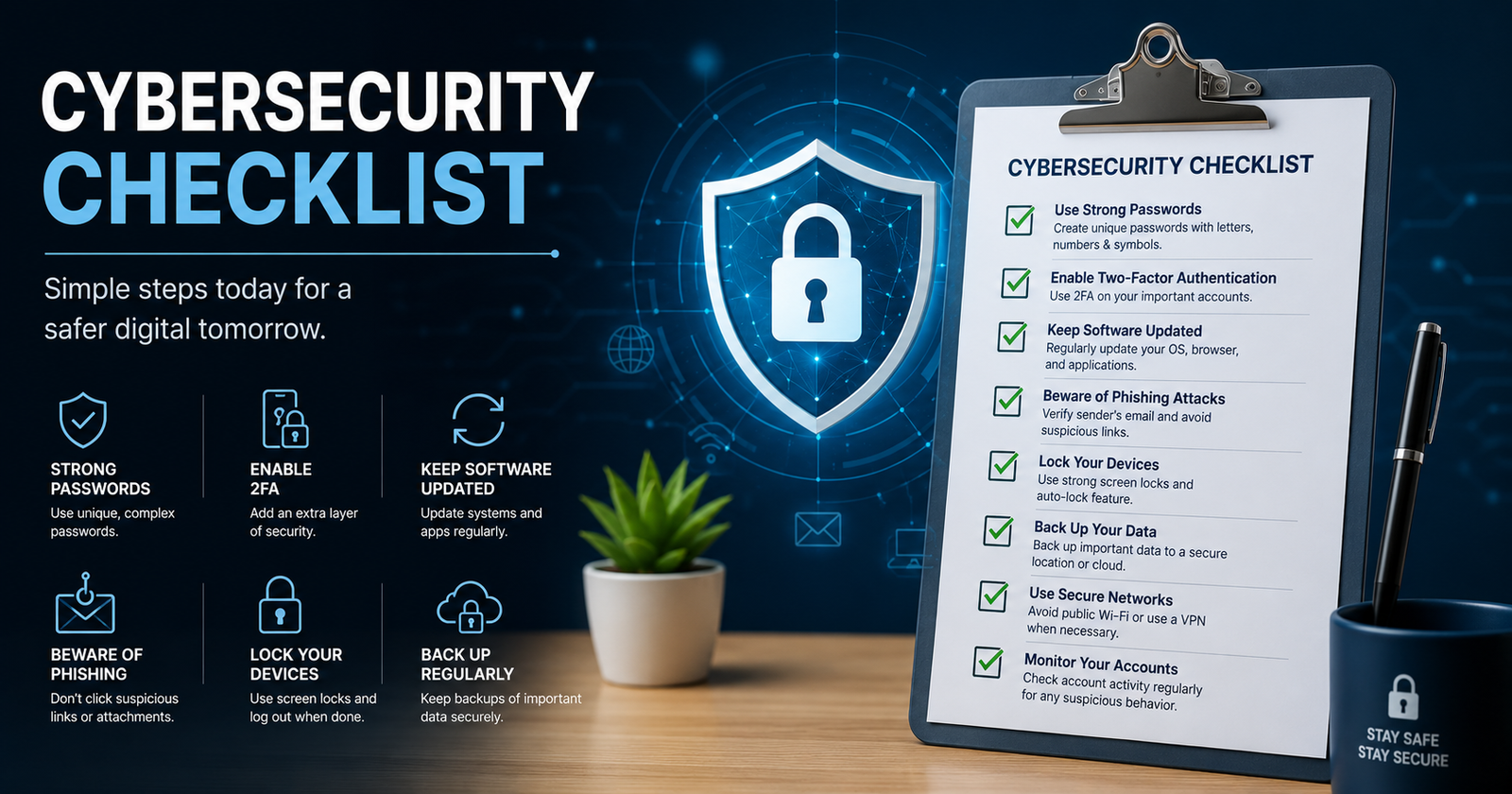
Cybersecurity is no longer something organizations can treat as an occasional IT task. A compromised password, unpatched application, phishing email, or failed backup can quickly turn into data loss, financial damage, or operational downtime. The good news is that you do not need to fix everything at once.
A practical cybersecurity checklist helps you identify security gaps, prioritize the most important controls, and verify whether those controls actually work. This guide covers essential protections for individuals, small businesses, and larger organizations, with a simple approach: check, verify, prioritize, fix, and reassess.
The checklist also aligns naturally with the risk-management approach used by the NIST Cybersecurity Framework (CSF) 2.0, which organizes cybersecurity outcomes around Govern, Identify, Protect, Detect, Respond, and Recover.
What Is a Cybersecurity Checklist?
A cybersecurity checklist is a structured list of security controls and practices used to identify weaknesses in accounts, devices, networks, applications, data, and business processes. It can be used for routine security reviews, risk assessments, internal audits, or preparing for a more formal cybersecurity audit.
A checklist is not the same as a penetration test or compliance certification. It provides a practical way to check whether important controls exist and whether they are being maintained. For example, having backups is one control; regularly testing whether those backups can actually restore critical data is a stronger security practice.
Quick Cybersecurity Checklist
If you need a starting point, work through these essential checks first:
Use unique, strong passwords
Enable multi-factor authentication (MFA)
Protect administrator accounts
Keep operating systems and applications patched
Use endpoint security
Enable firewalls
Back up critical information
Test backup restoration
Train employees to recognize phishing
Remove inactive accounts
Apply least-privilege access
Encrypt sensitive information
Secure Wi-Fi networks
Maintain an asset inventory
Monitor important security events
Review third-party access
Create an incident response plan
Scan for vulnerabilities
Review security logs
Perform regular security assessments
If you can only address five items today, start with MFA, strong passwords, software patching, reliable backups, and endpoint protection. CISA's Cyber Essentials guidance similarly emphasizes MFA, patching, backups, access control, and security awareness as foundational actions.
Critical Cybersecurity Checklist: What to Do First
Not every security control deserves the same priority. Start with controls that can significantly reduce the likelihood or impact of common attacks.
Secure Every User Account
Require unique passwords for important accounts and avoid password reuse. A reputable password manager can help users create and store unique credentials without relying on memory.
Administrator accounts deserve additional protection. Remove unnecessary privileged accounts and review permissions regularly. When an employee leaves, promptly disable their accounts and revoke access to business systems.
Enable Multi-Factor Authentication
MFA adds another verification factor beyond a password, making stolen credentials less useful to attackers. Prioritize email, administrator, remote-access, financial, cloud, and other sensitive accounts.
Do not simply check whether MFA is available. Verify that it is actually enforced for the accounts that need it.
Patch Operating Systems and Applications
Outdated software can leave known vulnerabilities exposed. Keep operating systems, browsers, business applications, firmware, and security products updated.
Where practical, automate updates and maintain an inventory so you know which systems are supported and which require attention.
Back Up Critical Data
Back up information that the business cannot afford to lose, including documents, databases, configurations, and other essential records.
A backup should not be considered fully reliable until restoration has been tested. Periodically restore selected files or systems and document how long recovery takes.
Protect Endpoints and Devices
Use appropriate endpoint security, host firewalls, disk encryption, automatic screen locking, and secure configurations. Maintain a current inventory of laptops, desktops, mobile devices, servers, and other connected equipment.
For larger organizations, endpoint detection and response (EDR) can provide deeper visibility and investigation capabilities.
Protect Your Data and Network
Secure Sensitive Data
Identify where sensitive information is stored and who needs access to it. Use encryption where appropriate, protect data during transmission, limit unnecessary retention, and securely dispose of information that is no longer needed.
A useful rule is simple: you cannot protect data effectively if you do not know where it is.
Secure Your Wi-Fi and Network
Use strong administrative credentials on network equipment and keep router and firewall firmware updated. Use modern wireless security, create a separate guest network where appropriate, and avoid exposing management interfaces unnecessarily.
Businesses with more complex environments may also benefit from network segmentation. Separating important systems can limit how far an attacker can move after compromising one device.
Employee and Human Security Checklist
Technology cannot eliminate every cybersecurity risk. Employees need to understand how attacks work and what to do when something looks suspicious.
Your employee checklist should include:
Security awareness training
Phishing awareness
Clear process for reporting suspicious messages
MFA requirements
Secure password practices
Remote-work security guidance
Rules for handling sensitive information
Procedures for lost or stolen devices
Regular training refreshers
Phishing and Social Engineering Checklist
Teach users to look for unexpected payment requests, urgent account warnings, suspicious links, unusual sender addresses, fake login pages, and requests for confidential information.
Modern social engineering can also involve QR codes, impersonation, and AI-generated messages. Employees should know that a polished message is not necessarily a trustworthy one.
For example, if a finance employee receives an urgent request to change a supplier's bank details, the safest process is to independently verify the request rather than relying on the email alone.
Small Business Cybersecurity Checklist
Small organizations often need strong fundamentals without the complexity or expense of a large security operations program.
A practical cybersecurity checklist for small business includes:
Assign someone responsibility for cybersecurity
Inventory hardware and software
Enable MFA
Secure business email
Patch systems regularly
Protect endpoints
Back up important files
Test backup restoration
Train employees
Review user permissions
Secure remote access
Review vendors and third-party access
Document incident-response procedures
Conduct periodic security reviews
FINRA's Small Firm Cybersecurity Checklist similarly uses a risk-management approach covering threat identification, protection, detection, response, and recovery, while noting that organizations should tailor controls to their size and needs.
The key is not to buy every security product available. A small business may gain more value from properly enforced MFA, tested backups, patch management, employee training, and access reviews than from purchasing advanced tools that nobody has configured correctly.
Enterprise Cybersecurity Checklist
Larger organizations generally need additional layers because they have more users, systems, applications, data, vendors, and potential attack paths.
An enterprise cybersecurity checklist can include:
Asset inventory and discovery
Identity and access management
Least-privilege controls
EDR or XDR
Vulnerability management
Centralized logging
SIEM
MDR or SOC monitoring
Network segmentation
Cloud security
Data loss prevention
Vendor risk management
Security testing
Incident response
Business continuity and recovery
The right controls depend on the organization's risk profile, technology environment, regulatory requirements, and available resources.
Cybersecurity Audit Checklist
A cybersecurity audit checklist should examine more than whether security software is installed. It should evaluate governance, assets, protection, detection, response, and recovery.
Governance
Security responsibilities are assigned
Security policies are documented
Major cybersecurity risks are identified
Third-party risks are reviewed
Identify
Hardware inventory is current
Software inventory is current
Sensitive data is identified
Important business systems are documented
Protect
MFA is enforced
Access permissions are reviewed
Sensitive data is protected
Systems are patched
Employees receive security training
Detect
Important logs are collected
Security alerts are monitored
Vulnerabilities are tracked
Suspicious activity can be investigated
Respond
Incident response plan exists
Roles and responsibilities are defined
Internal and external contacts are documented
Incident procedures are tested
Recover
Critical data is backed up
Backup restoration is tested
Recovery priorities are documented
Lessons from incidents are incorporated into future improvements
These areas map naturally to the six NIST CSF 2.0 Functions: Govern, Identify, Protect, Detect, Respond, and Recover. NIST describes the framework as a way to understand, assess, prioritize, and communicate cybersecurity risk rather than as a one-size-fits-all checklist.
How to Verify Each Cybersecurity Checklist Item
The biggest mistake with a security checklist is marking an item complete simply because a security product or policy exists.
Use this simple process:
Control: MFA
Check: Review identity and account settings.
Evidence: Confirm MFA is enrolled and enforced.
Status: Complete, Partial, or Missing.
Review: Repeat periodically.
Apply the same approach to backups, patching, endpoint protection, access control, employee training, encryption, and incident response.
For example, "backups enabled" is not enough. Evidence could include recent successful backup jobs and a documented restoration test. This distinction turns a basic cybersecurity checklist into a more meaningful security assessment.
Cybersecurity Checklist by Review Frequency
Cybersecurity should be reviewed continuously rather than once a year.
Organizations with higher risk may need more frequent reviews. NIST emphasizes that cybersecurity functions operate continuously, while response and recovery capabilities should be ready when incidents occur.
Cybersecurity Checklist for Remote and Hybrid Workers
Remote employees should follow the same core security principles as office workers, with additional attention to home networks and physical device security.
Check that:
Home Wi-Fi uses strong security
Work devices are updated
MFA is enabled
Devices use screen locks
Disk encryption is enabled where appropriate
Sensitive work is performed through approved systems
Public Wi-Fi is used carefully
Lost or stolen devices are reported immediately
A lost laptop becomes a much smaller security problem when it is encrypted, protected by strong authentication, centrally managed, and capable of being remotely locked or wiped.
Common Cybersecurity Checklist Mistakes
Treating cybersecurity as a one-time project
Threats, applications, users, and business processes change. A checklist should therefore be reviewed and updated rather than completed once and forgotten.
Buying tools without fixing processes
A security product cannot compensate for weak passwords, excessive permissions, unpatched systems, or employees who do not know how to report phishing.
Failing to test backups
A backup that cannot be restored when needed can create a false sense of security.
Giving users excessive privileges
Users should receive only the access required for their responsibilities. Review administrative privileges regularly.
Ignoring third-party access
Vendors, contractors, SaaS applications, and integrations can introduce additional risks. Review what external parties can access and remove unnecessary permissions.
Cybersecurity Checklist vs NIST CSF 2.0
The two concepts serve different purposes.
NIST CSF 2.0 applies across different technology environments, including cloud, mobile, IoT, operational technology, and AI systems. Its six Functions provide a useful structure for organizing cybersecurity activities.
What to Do After Completing the Cybersecurity Checklist
Do not stop when every box has been checked.
First, classify each item as Complete, Partial, or Missing. Next, identify gaps that could cause the greatest business impact. Assign an owner and deadline to each important gap, then document evidence showing what was fixed.
Reassess the checklist after remediation. For significant incidents, update procedures based on what happened. NIST's current incident-response guidance emphasizes integrating incident response throughout cybersecurity risk management rather than treating it as a separate activity.
Conclusion
A good cybersecurity checklist should do more than tell you to "use strong passwords" or "install antivirus software." It should help you identify what needs protection, verify whether controls actually work, prioritize the most serious gaps, and create a repeatable process for improvement.
Start with the fundamentals: MFA, unique passwords, patching, backups, endpoint protection, access control, and security awareness. Then build toward vulnerability management, monitoring, incident response, vendor risk management, and stronger recovery capabilities as your organization matures.
The goal is not to check every box once. The goal is to create a security process that keeps improving as your technology, business, and threats change.
Frequently Asked Questions
What should be included in a cybersecurity checklist?
A cybersecurity checklist should cover account security, MFA, patching, endpoint protection, backups, access control, employee awareness, network security, vulnerability management, incident response, and recovery. Organizations should adapt the checklist to their specific risks.
What are the five basic cybersecurity controls?
Five strong starting controls are MFA, strong unique passwords, regular software patching, reliable backups, and endpoint protection. Access control and employee security awareness are also essential parts of a mature security program.
What is a cybersecurity audit checklist?
A cybersecurity audit checklist is used to review whether important security policies, controls, processes, and safeguards are implemented and maintained. Unlike a simple security tips list, an audit checklist should also consider evidence and verification.
How do I create a cybersecurity checklist for a small business?
Start with your most important accounts, devices, applications, data, and business processes. Then prioritize MFA, passwords, patching, backups, endpoint protection, employee training, access control, and incident response before adding more advanced controls.
How often should a cybersecurity checklist be reviewed?
Basic security checks should occur regularly, with some monitoring performed daily and operational reviews monthly or quarterly. A broader cybersecurity assessment should generally be performed at least annually, with additional reviews after major technology or business changes.
Does completing a cybersecurity checklist mean a business is secure?
No. A checklist can reveal gaps and improve security hygiene, but it cannot guarantee protection. Security also depends on configuration, monitoring, testing, incident response, risk management, and the organization's specific threat environment.
Where can I find a cybersecurity checklist PDF or template?
A PDF or template can be useful if it is from a trustworthy source and fits your environment. For example, FINRA provides a Small Firm Cybersecurity Checklist and notes that organizations should tailor it to their size and needs.
Leave a Reply