

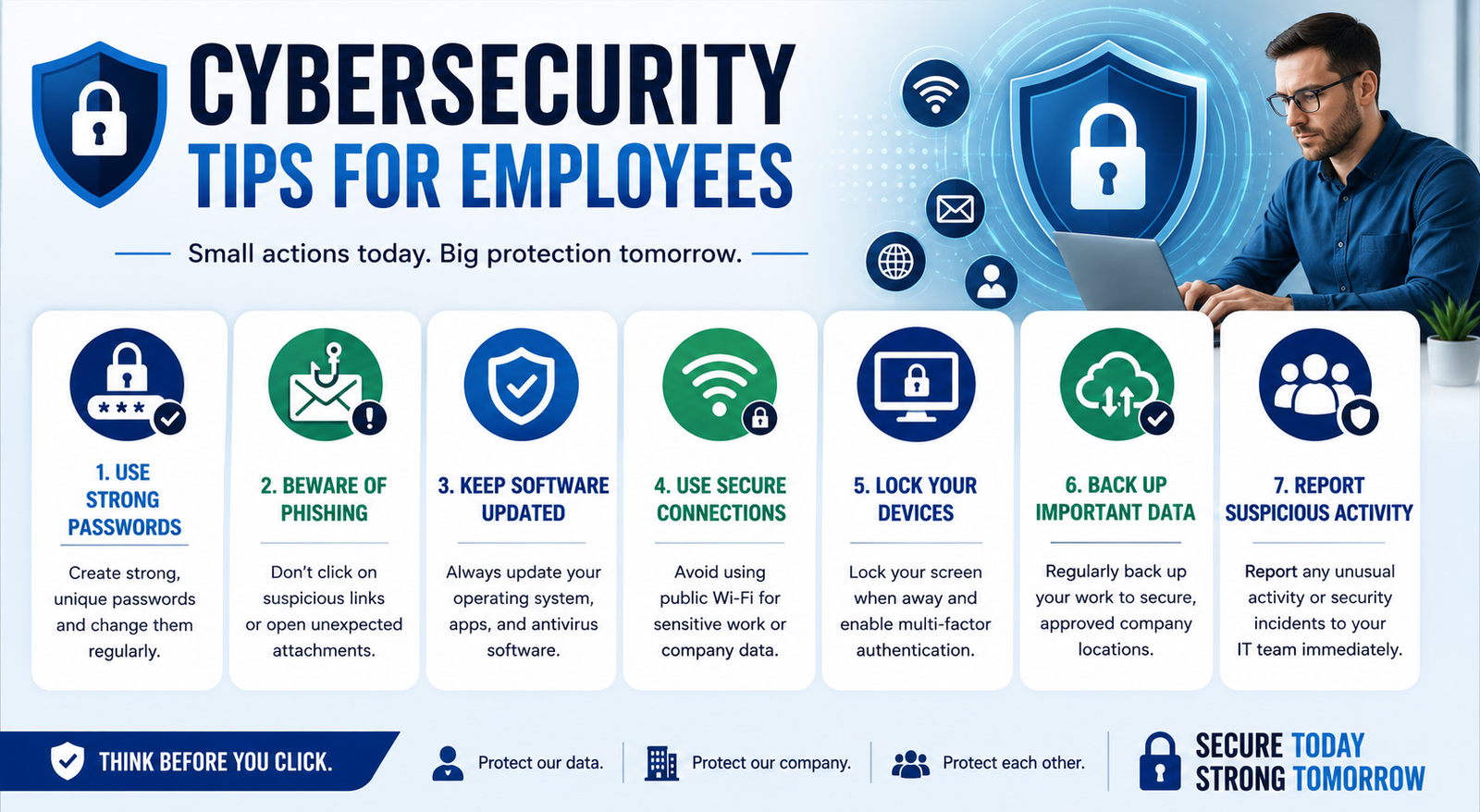
Cybersecurity is no longer only the responsibility of IT teams. Every employee who uses a computer, email account, mobile device, or company software plays an important role in protecting business information. A single careless click on a phishing email or weak password can expose sensitive company data and create serious security problems.
Modern cybercriminals often target employees because human mistakes remain one of the biggest causes of security incidents. Attackers use fake emails, social engineering, stolen passwords, and malicious links to trick workers into giving away valuable information.
Following simple security habits can significantly reduce these risks. These cybersecurity tips for employees will help workers protect company data, recognize threats, and build safer digital habits whether they work in an office or remotely.
Why Cybersecurity Matters for Employees
Businesses store large amounts of valuable information, including customer records, financial details, employee data, and confidential documents. Cybercriminals attempt to steal this information through different types of attacks.
Employees are often the first line of defense because they interact with emails, files, websites, and company systems every day.
A small mistake can create major consequences. For example, an employee may receive an email that appears to come from Microsoft asking them to verify their account. After entering their login details on a fake website, attackers can access company accounts and sensitive files.
Strong cybersecurity awareness helps employees:
Prevent data breaches
Avoid phishing scams
Protect company accounts
Reduce malware risks
Maintain customer trust
The Role of Employees in Workplace Cybersecurity
Cybersecurity works best when employees and organizations share responsibility. Companies provide security tools and policies, but employees must follow safe practices.
Employees do not need to become cybersecurity experts. They simply need to understand common threats and follow basic security practices.
20 Cybersecurity Tips for Employees
1. Use Strong and Unique Passwords
Weak passwords are one of the easiest ways for attackers to gain access to accounts. Employees should avoid using simple passwords based on names, birthdays, or common words.
A strong password should include:
Uppercase and lowercase letters
Numbers
Special characters
At least 12 characters
Using a password manager can help employees create and store unique passwords securely.
2. Enable Multi-Factor Authentication (MFA)
Passwords alone are not enough protection anymore. Multi-factor authentication adds an extra security layer by requiring another verification method.
Examples include:
Authentication apps
Security codes
Fingerprint verification
Even if attackers steal a password, MFA can prevent unauthorized account access.
3. Learn How to Identify Phishing Emails
Phishing is one of the most common cyberattacks targeting employees. Attackers create fake emails that look legitimate to steal passwords or install malware.
Common phishing warning signs include:
Urgent messages asking for immediate action
Unknown senders
Suspicious attachments
Fake login pages
Spelling mistakes
Employees should always verify unexpected requests before clicking links.
Example:
A message says:
“Your company account will be disabled today. Click here to confirm.”
Instead of clicking, employees should contact the IT department directly.
4. Avoid Suspicious Links and Attachments
Malicious links and files can install viruses, ransomware, or spyware on company devices.
Before opening attachments, employees should ask:
Was I expecting this file?
Do I recognize the sender?
Does the request seem unusual?
When unsure, report the message instead of opening it.
5. Keep Software and Devices Updated
Software updates often include security patches that fix vulnerabilities. Ignoring updates can leave devices exposed to known threats.
Employees should regularly update:
Operating systems
Web browsers
Applications
Security software
Updated devices provide stronger protection against cyberattacks.
6. Lock Your Devices When Away
Leaving a computer unlocked can allow unauthorized people to access sensitive information.
Employees should:
Lock screens when leaving desks
Use device passwords
Avoid sharing login accounts
This simple habit protects company data from physical threats.
7. Secure Remote Work Connections
Remote employees face additional cybersecurity challenges because they may use home networks or personal devices.
Remote workers should:
Secure home Wi-Fi networks
Use company-approved tools
Avoid public networks for sensitive tasks
Keep devices updated
These free cybersecurity tips for employees can help protect information outside the traditional workplace.
8. Use VPNs for Secure Access
A VPN creates a secure connection between an employee’s device and company systems.
VPNs are especially useful when employees:
Work from public locations
Access company files remotely
Use shared internet connections
A secure connection reduces the risk of data interception.
9. Protect Company Data on Cloud Platforms
Many organizations use cloud services for storing and sharing files. Employees must be careful when accessing cloud documents.
Good practices include:
Checking sharing permissions
Avoiding public file links
Removing unnecessary access
Accidentally sharing confidential documents can expose sensitive information.
10. Do Not Install Unauthorized Software
Unknown applications can contain malware or create security weaknesses.
Employees should avoid:
Downloading cracked software
Installing unknown browser extensions
Using unauthorized tools
Always use company-approved software.
11. Protect Mobile Devices
Smartphones often contain access to emails, applications, and company accounts.
Employees should:
Enable screen locks
Install updates
Avoid suspicious apps
Use device encryption when available
Mobile security is an important part of workplace cybersecurity.
12. Be Careful During Online Meetings
Virtual meetings can also create security risks.
Employees should:
Use meeting passwords
Avoid sharing private links publicly
Control screen-sharing permissions
These steps prevent unauthorized access.
13. Verify Unusual Requests
Cybercriminals often impersonate managers, executives, or coworkers.
Common scams include:
Fake payment requests
Gift card scams
Fake HR messages
Always confirm unusual requests through another communication method.
14. Report Security Problems Quickly
Fast reporting can reduce damage after a security incident.
Employees should immediately report:
Suspicious emails
Lost devices
Strange login alerts
Accidental data sharing
Early action helps security teams respond faster.
15. Follow Company Security Policies
Security policies exist to protect both employees and organizations.
Employees should understand:
Data handling rules
Access permissions
Device requirements
Reporting procedures
Following policies creates a stronger security culture.
16. Backup Important Data
Backups help organizations recover from ransomware attacks and accidental deletion.
Employees should store important work files using approved company backup systems.
17. Avoid Oversharing Online
Attackers use social media information for social engineering attacks.
Avoid sharing:
Company projects
Internal information
Workplace details
Small pieces of information can help attackers create convincing scams.
18. Be Careful With USB Devices
Unknown USB devices may contain malware.
Employees should avoid connecting unfamiliar devices to company computers.
Only use approved storage devices.
19. Monitor Account Activity
Employees should regularly check account activity for unusual behavior.
Look for:
Unknown login attempts
Password reset alerts
Unexpected notifications
Early detection can prevent bigger problems.
20. Participate in Cybersecurity Training
Security awareness training helps employees recognize threats and respond correctly.
Organizations can provide:
Phishing simulations
Security workshops
Awareness programs
Many companies also provide phishing training for employees free through online resources and internal programs.
Common Cybersecurity Mistakes Employees Make
Avoiding these mistakes can dramatically improve workplace security.
Cybersecurity Tips for Remote Employees
Remote work has increased flexibility but also created new security challenges.
Employees working from home should:
Use secure Wi-Fi
Separate personal and work accounts
Avoid public computers
Protect video meetings
Keep work devices private
A secure remote environment reduces the chances of unauthorized access.
How Companies Can Build a Strong Cybersecurity Culture
Organizations should create an environment where security becomes part of daily work.
Companies can improve cybersecurity by:
Providing regular training
Encouraging employees to report issues
Updating security policies
Testing employee awareness
A strong cybersecurity culture helps prevent attacks before they happen.
Employee Cybersecurity Checklist
Employees can use this checklist as a simple daily reminder.
Future Cybersecurity Threats Employees Should Know About
Cyber threats continue to evolve. Employees should stay aware of newer risks, including:
AI-generated phishing emails
Deepfake scams
Cloud account attacks
Advanced social engineering
Identity theft attempts
Understanding these threats helps employees make safer decisions.
Conclusion
Cybersecurity is a shared responsibility, and employees play a critical role in protecting company information. Simple actions like using strong passwords, recognizing phishing attempts, securing devices, and reporting suspicious activity can prevent serious security incidents.
By following these cybersecurity tips for employees, workers can create safer digital habits and help build a stronger security culture within their organizations.
Frequently Asked Questions
What are the most important cybersecurity tips for employees?
The most important cybersecurity tips for employees include using strong passwords, enabling MFA, avoiding phishing emails, updating devices, and reporting suspicious activity quickly.
Why are employees important in cybersecurity?
Employees are important because they interact with company systems daily. Their actions can either prevent or contribute to security incidents.
How can employees prevent phishing attacks?
Employees can prevent phishing attacks by checking email senders, avoiding suspicious links, verifying requests, and completing security awareness training.
Are there free cybersecurity tips for employees available?
Yes, many organizations provide free cybersecurity tips for employees through awareness guides, online training materials, and security resources.
What should an employee do after clicking a suspicious link?
Employees should immediately disconnect if necessary, avoid entering more information, and report the incident to their IT or security team.
Why is cybersecurity training important for employees?
Cybersecurity training helps employees recognize threats, understand safe practices, and reduce the risk of human error.
Leave a Reply