

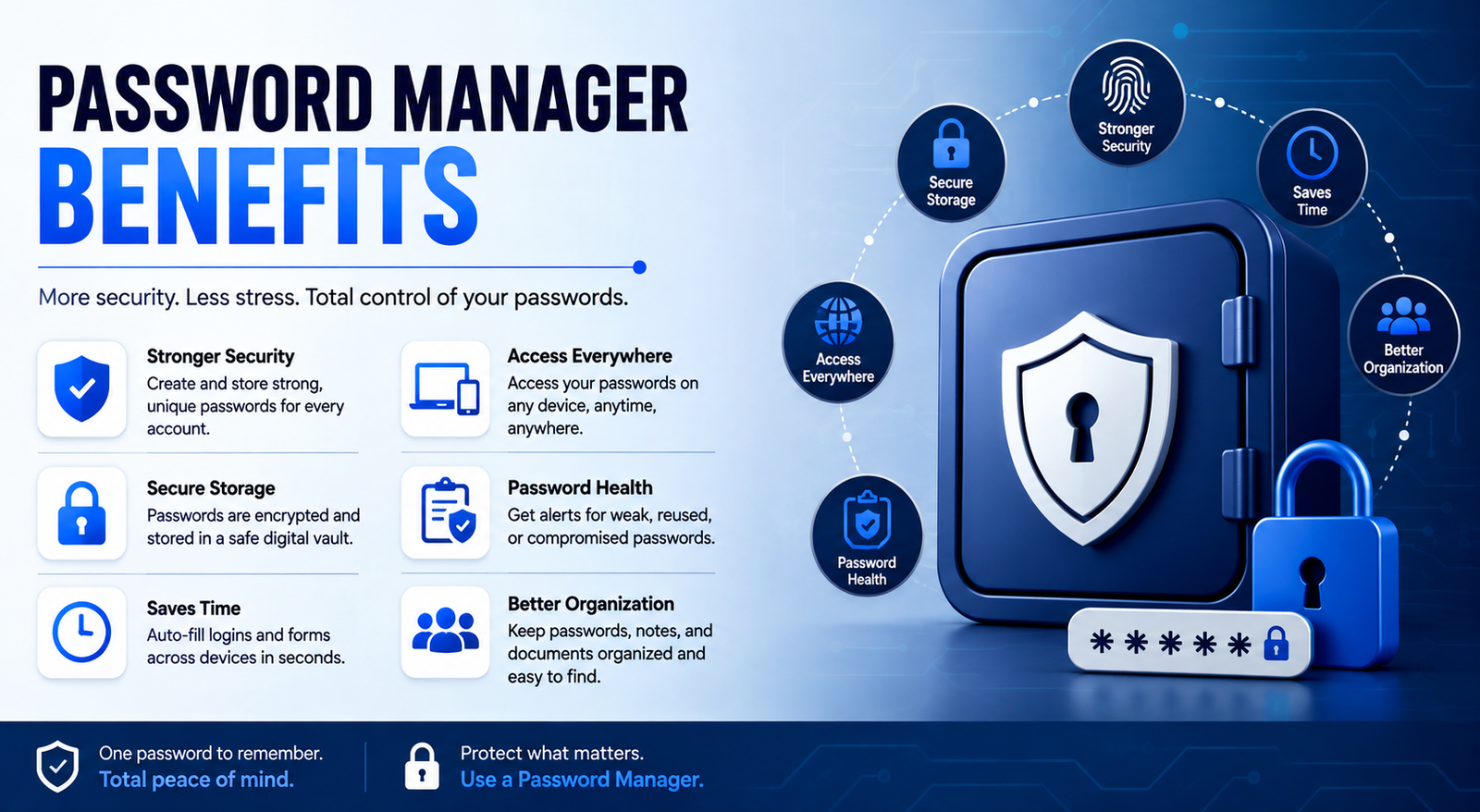
Password Manager Benefits has become harder as people create more online accounts. Email, banking, shopping, social media, work platforms, cloud storage, and subscription services can all require separate credentials. Trying to remember every password often leads to predictable passwords, reuse, or insecure storage.
That is where password managers can help. They generate strong credentials, store them in a protected vault, autofill login details, and make unique passwords practical across multiple accounts. The biggest password manager benefits are not just convenience—they can also improve everyday password security.
What Is a Password Manager?
A password manager is a software application that securely stores passwords and other sensitive login information. Instead of remembering dozens of credentials, you generally need to remember one primary password or authentication method to access your vault.
Most password managers can generate random passwords, save new credentials, autofill login forms, synchronize information across devices, and provide security-related features such as compromised-password alerts. Some also support secure notes, recovery codes, passkeys, and credential sharing.
How Does a Password Manager Work?
When you create an account, a password manager can generate a strong, unique password and save it in an encrypted vault. When you return to that website, the manager can recognize the account and autofill the stored credentials.
For example, instead of using the same password for an email account and an online store, you can have two completely different passwords without needing to memorize either one. The main password or authentication method protects access to the vault, so enabling multi-factor authentication is an important additional safeguard.
What Are the Main Password Manager Benefits?
The biggest benefits combine security with convenience. A good password manager makes secure behavior easier instead of forcing users to choose between security and usability.
12 Key Benefits of Using a Password Manager
1. Generate Strong, Unique Passwords
One of the most important password manager benefits is automatic password generation. Instead of inventing a password based on a pet, birthday, favorite team, or familiar phrase, the manager can create a long and random credential.
Using a different password for every important account also limits the damage caused by a breach. If one website exposes a password, attackers cannot simply use that same credential to access your other accounts.
2. Prevent Password Reuse
Password reuse is dangerous because one compromised credential can affect several accounts. This is particularly important with credential stuffing, where attackers try leaked usernames and passwords on other websites.
A password manager makes unique passwords realistic. You do not need to remember 30 different combinations because the software handles storage and retrieval for you.
3. Store Passwords More Securely
Keeping passwords in a notebook, spreadsheet, text file, or email creates unnecessary risks. Someone who gains access to that information may immediately see the credentials.
A reputable password manager instead uses a protected vault designed for sensitive information. However, users should still research the provider, understand its security model, enable MFA, and keep their devices protected.
4. Autofill Saves Time
Autofill is one of the most noticeable convenience benefits. Rather than typing a long password every time you sign in, the password manager can enter the stored credentials for you.
This becomes especially useful on mobile devices, where typing complicated passwords can be frustrating. It also makes strong passwords much easier to use consistently.
5. Help Reduce Phishing Risk
Password managers can provide an additional layer of protection against certain phishing attempts. Because credentials are associated with specific websites, a manager may refuse to autofill information on an unfamiliar or incorrect domain.
This does not mean a password manager makes phishing impossible. Users still need to check websites, links, messages, and login requests carefully. The benefit is that the manager can reduce some of the human mistakes that occur when credentials are manually entered.
6. Access Credentials Across Devices
Modern users often move between phones, laptops, desktops, and tablets. A password manager can synchronize credentials across supported devices, making secure passwords accessible when needed.
For example, you might create a strong password for a service on your computer and later use the same account from your smartphone without having to memorize the new credential.
7. Reduce Password Fatigue
Remembering dozens of passwords creates what can be called password fatigue. When people become tired of managing credentials, they may reuse passwords or create simple variations.
A password manager removes much of this mental burden. You can use stronger and more complicated passwords without expecting your memory to store them all.
8. Identify Compromised Credentials
Some password managers can check stored credentials against known breach information or provide security alerts when passwords may have been exposed.
This can help you act faster. If an alert identifies a compromised password, change it on the affected service and make sure the replacement is unique. A breach alert is a warning system, not a guarantee that an account is already secure.
9. Make Password Sharing Safer
Families and teams sometimes need to share access to accounts. Sending passwords through ordinary messages or email can expose credentials unnecessarily.
Password managers with secure sharing features can provide a better alternative by allowing selected credentials to be shared without casually sending the password in plain text. Sharing should still be limited to people who genuinely need access.
10. Support MFA and Recovery Information
Many password managers work alongside multi-factor authentication rather than replacing it. Some can also store recovery codes or other sensitive information in secure notes.
This creates a more organized approach to account security. However, the password manager itself should receive strong protection, including MFA when available.
11. Improve Overall Password Hygiene
A password manager can bring several good security practices together. Instead of simply storing passwords, it can encourage users to replace reused credentials, generate unique passwords, review weak accounts, and respond to security alerts.
This is one reason password managers can have a broader effect than simply remembering passwords. They make secure habits easier to maintain.
12. Reduce Password-Reset Problems
Forgotten passwords lead to repeated resets, locked accounts, and lost time. For businesses, password-related support requests can also consume valuable IT resources.
By securely storing credentials and making them available when needed, password managers can reduce unnecessary password-reset situations.
Password Manager Benefits for Individuals
For individuals, the biggest advantage is convenience without sacrificing good password practices. Someone with dozens of online accounts can use a different password for every service without memorizing them all.
Password managers can be especially useful for remote workers, students, frequent travelers, families, and anyone who regularly switches between multiple devices.
Password Manager Benefits for Businesses
Businesses can benefit from improved credential hygiene and easier management of shared access. Depending on the product, organizations may also receive administrative controls, reporting, secure credential sharing, and integration with multi-factor authentication.
For example, when an employee leaves an organization, controlled credential management can make it easier to review or revoke access. Password managers should be considered part of a broader identity and access management strategy rather than a complete cybersecurity solution.
Are Password Managers Safe?
Reputable password managers can significantly improve password security, but they are not risk-free. A password manager becomes an important security target because its vault may contain highly sensitive information.
Look for strong encryption, MFA support, transparent security documentation, regular updates, sensible recovery options, and a credible security history. Protect the device running the password manager as well, because a compromised device can undermine otherwise strong account security.
The most important principle is to avoid assuming that a password manager is automatically secure simply because it uses encryption. Provider reputation, implementation, account protection, and user behavior all matter.
What Are the Disadvantages of Password Managers?
Password managers have trade-offs. You are placing important credentials inside one system, which means protecting your vault account becomes extremely important.
These limitations do not automatically outweigh the benefits. They simply show why choosing a reputable manager and securing the vault properly matters.
Password Manager vs. Browser Password Manager
Browser password managers can be sufficient for some users, particularly when they primarily use one browser ecosystem. Dedicated password managers may provide additional features such as secure sharing, advanced organization, broader platform support, security monitoring, and business administration.
There is no universal winner. The best choice depends on your devices, accounts, security requirements, and preferred features.
Password Managers vs. Passkeys
Passkeys are changing how people authenticate. Instead of relying on traditional passwords, passkeys use cryptographic credentials and can provide strong resistance to many phishing attacks.
That does not make password managers irrelevant. Many websites still use passwords, and password managers remain useful for those accounts. Password managers and passkeys can therefore complement each other as authentication technology continues to evolve.
Who Should Use a Password Manager?
A password manager is particularly useful if you:
Have many online accounts
Reuse passwords
Frequently forget credentials
Use several devices
Manage work and personal accounts
Need to share selected credentials with family or colleagues
Want an easier way to create strong passwords
If you currently use the same password across several important accounts, moving toward unique credentials should be a priority.
How to Choose a Secure Password Manager
Before selecting a password manager, look beyond price and the number of advertised features. Consider encryption, MFA support, platform compatibility, security history, recovery options, privacy practices, secure sharing, breach monitoring, and passkey support.
It is also useful to check whether the provider publishes security documentation or information about independent audits. Avoid choosing a service solely because it has the longest feature list.
How to Use a Password Manager Safely
Start by creating a strong primary password and enabling MFA if supported. Then replace reused passwords, beginning with important accounts such as email, banking, and work services.
Keep your password-manager application and devices updated. Review security alerts promptly, protect recovery information, and avoid installing browser extensions or applications from untrusted sources.
Common Password Manager Mistakes to Avoid
The biggest mistakes are often related to poor setup rather than the concept of password management itself.
Avoid using a weak primary password, reusing that password elsewhere, ignoring MFA, sharing credentials unnecessarily, or assuming that a password manager eliminates the need for other security measures.
You should also avoid treating breach alerts as automatic fixes. If a credential is exposed, you still need to change the password and review the affected account.
Password Manager Benefits at a Glance
The main value of a password manager comes from combining security and convenience. Strong password generation improves credential quality, while autofill and synchronization make those credentials practical to use.
The result is a system that can reduce password reuse, simplify account management, and encourage better security habits without requiring users to memorize dozens of complex passwords.
Conclusion
The most important password manager benefits go beyond convenience. By generating strong and unique passwords, protecting credentials in a dedicated vault, reducing password reuse, supporting autofill, and helping users respond to compromised credentials, password managers can make better security practices easier to maintain.
They are not a substitute for MFA, device security, phishing awareness, or sensible account protection. But when you choose a reputable solution and secure the vault properly, a password manager can be a practical foundation for stronger everyday password security.
Frequently Asked Questions
What are the main password manager benefits?
The main benefits include stronger unique passwords, secure credential storage, autofill, cross-device access, reduced password reuse, phishing-risk reduction, breach monitoring, and easier password management.
What is the one password you still need to remember when using a password manager?
Typically, you need to remember the primary or master password used to unlock your password vault. Some services may use a different authentication method or support passkeys, so the exact process varies.
How does a password manager work?
A password manager stores credentials in a protected vault, generates strong passwords, and can autofill saved information when you visit supported websites and applications. Many also synchronize credentials across devices.
Is it worth using a password manager?
For people with many accounts or reused passwords, a password manager can make stronger security much easier to maintain. It is particularly useful when you need unique passwords across multiple devices.
Can a password manager prevent phishing?
It cannot prevent all phishing attacks, but some password managers can reduce credential-entry mistakes by associating saved login information with the correct website domain. Users should still verify links and websites.
What is the best way to store passwords offline?
For most people, a reputable password manager with appropriate security controls is more practical than keeping a password list in an ordinary document. If offline storage is specifically required, evaluate encrypted and securely managed options rather than plain text files or spreadsheets.
Should I use a password manager if I use passkeys?
Yes, if you still have accounts that rely on passwords. Passkeys can reduce password use, but password managers remain useful for traditional credentials and other sensitive information.
Leave a Reply