

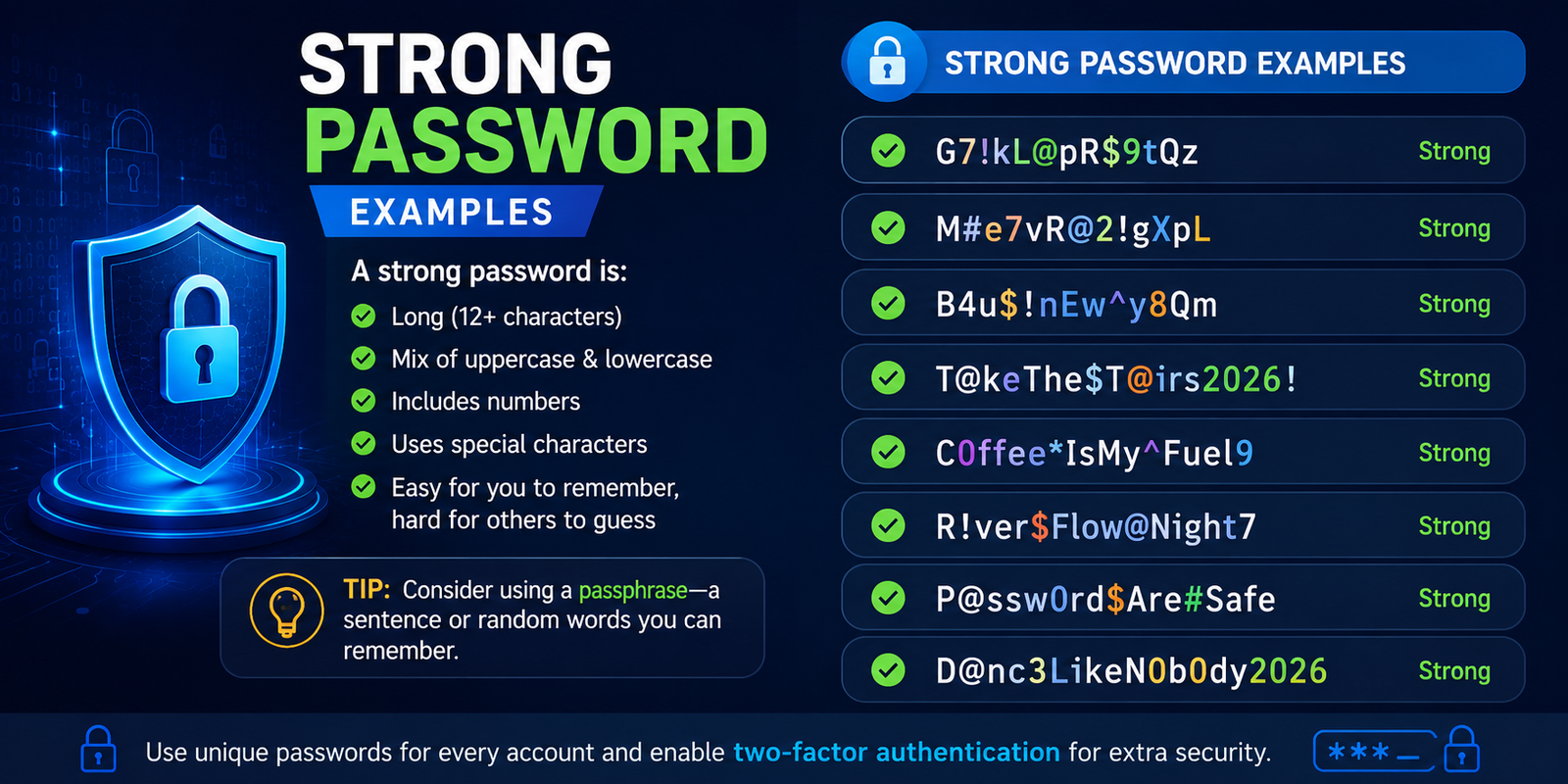
A strong password is one of the simplest ways to protect your email, social media, banking, work, and other online accounts. But a password that looks complicated is not necessarily secure. Length, uniqueness, randomness, and resistance to guessing all matter.
In this guide, you’ll find strong password examples, password examples for different situations, strong passphrases, weak-versus-strong comparisons, and practical tips for creating your own. The examples below are for education only. Never copy a password published online and use it for a real account.
What Is a Strong Password?
A strong password is long, unique, and difficult for another person or automated system to guess. It should not contain obvious personal information, common words, predictable patterns, or a password that you already use elsewhere.
Modern password security focuses heavily on length and uniqueness. A long, randomly generated password is generally a better choice than a short password that simply adds a number or symbol to a common word.
What Makes a Password Strong?
A good password should generally have these characteristics:
It is long enough for the service you are protecting.
It is unique to one account.
It does not contain personal information.
It is difficult to predict.
It is not based on common passwords or phrases.
It is preferably generated randomly.
It is stored securely rather than written in an exposed location.
For important accounts, combine a unique password with multi-factor authentication (MFA) whenever it is available.
Strong Password Examples
Here are some fictional examples showing what secure password structures can look like. Do not use these exact examples, because anything published publicly should be considered compromised.
Random Strong Password Examples
Examples of randomly generated passwords might look like:
v7#Qm2!Lx9@Rk4$Pz
T8^nW5&cJ2!qZ7#Lm
4x@N9!pR6$kV2&dQ
H3!zK8#uM5@rX9^bL
q6$Fv2!Yt8#Nw4@Cp
These examples demonstrate several useful characteristics: substantial length, mixed character types, and a structure that does not resemble an ordinary word or sentence.
A password manager can generate genuinely random credentials for real accounts, which is safer than manually inventing a complicated-looking password.
Strong Password Examples With Numbers
Numbers can be part of a strong password, but simply adding 123 or a birth year to a word does not make it secure.
For example, a fictional random password such as G7!rQ2@xL9#vM4$k is more useful as a security model than something predictable like Password123!.
The key is unpredictability, not merely the presence of numbers.
Strong Password Examples That Are Easy to Remember
Long passphrases can be easier to remember than random character strings. A fictional example could resemble:
Lantern-River-Cactus-Moon-47
Another might use unrelated words in a different order, such as:
Velvet-Planet-Window-Falcon-82
The important point is not to copy these phrases. Instead, use a password manager or create a unique passphrase according to the requirements of the service.
Strong vs. Weak Password Examples
Seeing the difference between weak and strong credentials makes password security easier to understand.
The last two are examples of stronger structures, not passwords you should actually use.
Why P@ssw0rd! Is Not a Great Password
Many people assume that replacing letters with symbols automatically creates a secure password.
For example:
password → Password1! → P@ssw0rd!
Although the final version looks more complicated, it follows a pattern that attackers can anticipate. Predictable substitutions are not the same as true randomness.
Strong Password Examples by Length
Password length is an important factor, but there is no single character count that automatically makes a password secure.
An eight-character password can be difficult to guess if it is randomly generated, but many modern services encourage or support much longer passwords.
Strong 8 Character Password Examples
If a website specifically requires eight characters, use a random password rather than a predictable phrase.
A fictional example might look like:
q7#Lm2@X
However, when a service permits longer credentials, choosing a longer password is generally preferable.
16 Character Password Examples
A 16-character random password can provide substantially more room for unpredictability.
Example:
K7!vQ2@pL9#xR4$m
Again, this is only a demonstration. Generate a separate password for your actual account.
20+ Character Password Examples
For accounts that allow long credentials, password managers can generate passwords containing 20 or more characters.
Long passphrases can also work well when memorization is necessary. The goal should be a credential that is both long and difficult to predict.
Strong Password Examples for Different Accounts
Different accounts have different risks, but the basic principle remains the same: use a unique credential for every important service.
Strong Password Examples for Email
Your email account deserves particular attention because it may be used to reset other accounts.
Use a long, unique password and enable MFA. Never reuse your email password on shopping, social media, or other websites.
Strong Password Examples for Wi-Fi
A Wi-Fi password can be a long random string or an appropriately constructed passphrase, depending on what your router supports.
Avoid using your family name, home address, phone number, or an easily guessed phrase.
Strong Password Examples for Social Media
Social media accounts should have unique passwords because reused credentials can become vulnerable after another website suffers a data breach.
MFA adds another important layer of protection.
Strong Password Examples for Work
For work accounts, always follow your organization's password and authentication policies.
Use company-approved password managers where available, never share credentials with colleagues, and use MFA or security keys if required.
Strong Passphrase Examples
A passphrase combines multiple words into a longer credential. When the words are sufficiently unpredictable and the phrase is unique, it can be easier to remember than a random character string.
For example, a fictional passphrase might look like:
Copper-Lantern-Forest-Cloud-91
The strength comes primarily from its length and unpredictability, not from simply inserting a symbol between familiar words.
How to Create a Strong Passphrase
Choose several unrelated words rather than a famous quotation, song lyric, movie line, or common saying. Avoid personal stories that someone who knows you could guess.
For accounts where memorization is unnecessary, a password manager can usually provide an even stronger randomly generated password.
How to Create a Strong Password
Creating a secure password does not need to be complicated.
Step 1: Make It Long
Use the maximum practical length supported by the service. Longer credentials generally provide more protection against guessing.
Step 2: Make It Unique
Never reuse the same password across important accounts. A strong password reused on five websites is still a major risk if one of those sites suffers a breach.
Step 3: Avoid Personal Information
Do not use names, birthdays, phone numbers, addresses, pet names, favorite teams, or other information that could be discovered through social media.
Step 4: Use Randomness
For most accounts, let a reputable password manager generate the password rather than trying to invent one yourself.
Step 5: Store It Securely
A password manager is generally more practical than memorizing dozens of different credentials or keeping them in an exposed document.
Step 6: Enable MFA
MFA can help protect an account even if a password is stolen or exposed.
How Long Should a Strong Password Be?
There is no universal length that guarantees security. Different websites and services have different requirements.
As a practical rule, prefer longer passwords whenever the service allows them. A unique 16-character or longer password is a useful target for many accounts, while password managers can often generate substantially longer credentials.
Most importantly, length should be combined with uniqueness and unpredictability. A 20-character password based on a predictable sentence can still be a poor choice.
Passwords You Should Never Use
Avoid passwords that are:
Commonly used by millions of people
Based on your name or birthday
Simple keyboard patterns
Sequential numbers
Favorite sports teams or celebrities
Company names
Reused on multiple accounts
Slight variations of an old password
For example, changing Summer2025! to Summer2026! is not a meaningful security strategy. It creates a predictable pattern.
Password Manager vs. Creating Passwords Yourself
A password manager can solve one of the biggest problems with password security: people struggle to create and remember dozens of unique credentials.
A password manager can generate unique passwords, store them securely, and fill them when needed. This makes it much easier to avoid password reuse.
Strong Passwords, MFA, and Passkeys
A password should not be your only line of defense.
MFA requires an additional verification factor, such as an authentication app, security key, or another supported method. This can significantly reduce the impact of a stolen password.
Passkeys provide another modern alternative to traditional passwords. They are designed to reduce reliance on passwords and can provide strong resistance to common phishing attacks.
For important accounts, think in layers:
Unique password + MFA or passkey + phishing awareness + secure account recovery
How Attackers Try to Steal Passwords
Attackers can obtain passwords in several ways, including brute-force guessing, dictionary attacks, credential stuffing, phishing, and data breaches.
Credential stuffing is especially dangerous when people reuse passwords. If credentials from one breached service are exposed, attackers may try the same combination on other websites.
That is why even the best password examples are only useful when translated into unique credentials for each real account.
Strong Password Checklist
Before creating or updating a password, ask:
Is it unique to this account?
Is it sufficiently long?
Is it unpredictable?
Does it avoid personal information?
Is it free from common words and patterns?
Am I avoiding reuse?
Can I store it securely in a password manager?
Is MFA available for this account?
Am I avoiding passwords published publicly?
If the answer to these questions is yes, you are following much stronger password practices.
Conclusion
The best password is not simply one that looks complicated. It should be long, unique, unpredictable, and protected with additional security measures whenever possible.
Use a password manager to generate different credentials for important accounts, avoid personal information and predictable patterns, and enable MFA or passkeys where available. Most importantly, treat every password example you find online as a demonstration—not a password to copy.
Frequently Asked Questions About Strong Password Examples
What is an example of a strong password?
A strong password is typically long, unique, and unpredictable. A fictional example is v7#Qm2!Lx9@Rk4$Pz, but you should never use a publicly displayed password as your real credential.
What makes a password strong?
Length, uniqueness, and unpredictability are the most important characteristics. Avoid personal information, common passwords, predictable patterns, and reused credentials.
Is an 8 character password strong?
An eight-character randomly generated password is stronger than a predictable eight-character password, but longer credentials are generally preferable when a service allows them.
Is P@ssw0rd! a strong password?
No. Although it contains uppercase letters, numbers, and symbols, it is based on a common password and uses predictable substitutions. A randomly generated password is a better choice.
Are passphrases secure?
A long, unique, and unpredictable passphrase can be secure and may be easier to remember than a random character string. Avoid famous phrases, lyrics, quotations, and personal information.
Should every account have a different password?
Yes. Unique passwords reduce the risk of credential stuffing. If one service is breached, attackers cannot automatically use the same password to access your other accounts.
Is it safe to use password examples from websites?
No. Never use an exact password published in an article, social post, video, or password examples list. Generate a unique password specifically for your account instead.
Leave a Reply