

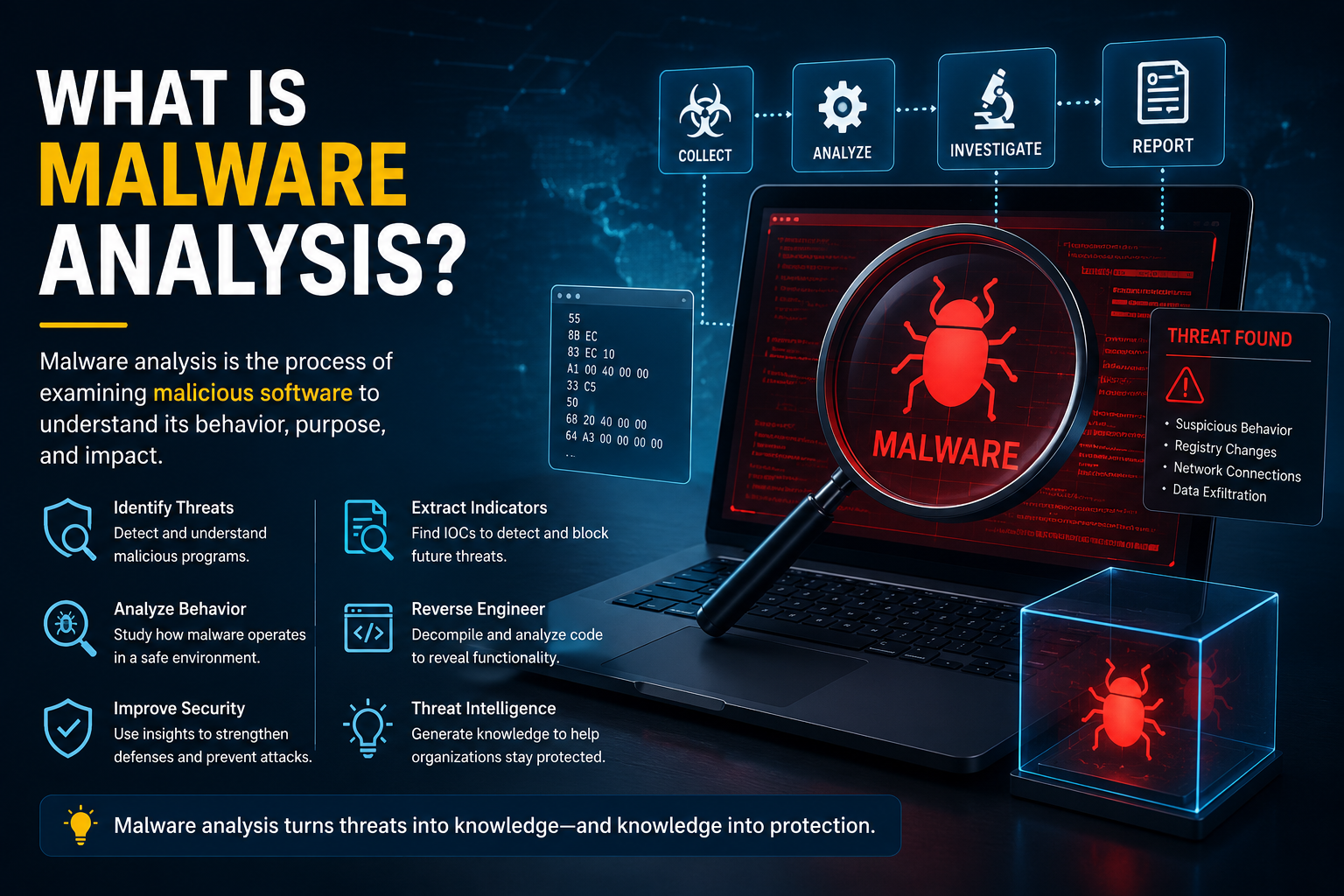
Malware continues to evolve at an alarming pace, targeting individuals, businesses, and governments through ransomware, spyware, banking trojans, and other malicious software. As cyber threats become more sophisticated, simply detecting malware is no longer enough. Security professionals must understand how malware works, what it targets, and how it can be stopped before it causes significant damage. This is where malware analysis becomes an essential cybersecurity practice.
So, what is malware analysis in cyber security? It is the process of examining suspicious files or software to determine their behaviour, purpose, origin, and potential impact. By analysing malware, security teams can uncover indicators of compromise (IOCs), improve incident response, strengthen security controls, and prevent similar attacks in the future.
Whether you're a cybersecurity beginner, an aspiring malware analyst, or an experienced IT professional, this guide explains the types of malware analysis, common techniques, essential malware analysis tools, and best practices for safely investigating malicious software.
What Is Malware Analysis?
Malware analysis is the systematic process of studying malicious software to understand its functionality, behaviour, communication methods, and overall threat level. Instead of simply identifying that a file is malicious, malware analysis reveals how it infects systems, spreads across networks, steals information, or disrupts operations.
In simple terms, malware analysis helps answer critical questions such as:
What does the malware do?
How does it infect a device?
Does it communicate with external servers?
What files or registry settings does it modify?
Can it evade antivirus detection?
How can security teams remove or block it?
The insights gained from malware analysis support threat hunting, digital forensics, vulnerability management, and incident response.
Example of Malware Analysis
A company receives an email attachment disguised as an invoice. Antivirus software flags it as suspicious but cannot identify its exact behaviour. A security analyst runs the file inside a secure sandbox, monitors its activity, and discovers that it encrypts documents, contacts a command-and-control server, and attempts to spread through shared network folders. The findings help the organisation isolate infected systems, block malicious IP addresses, and prevent a ransomware outbreak.
This simple scenario answers the common question, "What is malware analysis example?"
Why Malware Analysis Is Important
Every cyberattack leaves clues behind. Malware analysis helps organisations identify those clues and use them to strengthen their security posture.
Key benefits include:
Detecting new and previously unknown malware variants
Improving incident response and recovery times
Identifying Indicators of Compromise (IOCs)
Understanding attacker techniques and objectives
Supporting threat intelligence initiatives
Reducing the risk of future infections
Protecting sensitive business and customer data
For organisations handling financial information, healthcare records, or confidential intellectual property, malware analysis plays a critical role in reducing operational and reputational risks.
How Malware Analysis Works
Although every investigation differs, malware analysis generally follows a structured workflow that ensures evidence is collected safely and accurately.
Following this structured process allows analysts to produce consistent results while minimising the risk of accidental malware execution on production systems.
Types of Malware Analysis
There are several approaches to malware analysis, each designed to answer different investigative questions. Security professionals often combine multiple techniques for the most accurate results.
Static Malware Analysis
Static malware analysis examines a malicious file without executing it. Analysts inspect its structure, metadata, strings, imported libraries, digital signatures, and code to gather information about its capabilities.
Common activities include:
Reviewing executable headers
Examining embedded strings
Calculating file hashes
Checking digital signatures
Comparing samples with known malware databases
Advantages
Safe because the malware never runs
Fast initial assessment
Identifies known malware families
Suitable for large-scale screening
Limitations
May not reveal hidden behaviours
Encrypted or packed malware can limit visibility
What Is Dynamic Malware Analysis?
A common question is, "What is dynamic malware analysis?"
Dynamic malware analysis involves executing malware inside a secure, isolated environment such as a virtual machine or sandbox. Instead of examining the code alone, analysts observe how the malware behaves while running.
During execution, analysts monitor:
File creation and deletion
Registry modifications
Network traffic
Running processes
Memory usage
API calls
Persistence mechanisms
Dynamic analysis often uncovers malicious actions that remain hidden during static inspection.
Hybrid Malware Analysis
Hybrid analysis combines static and dynamic techniques to provide a more complete understanding of malware.
Analysts first inspect the file statically before executing it inside a controlled environment. This combination improves detection accuracy while revealing both the malware's structure and behaviour.
Hybrid analysis is widely used in Security Operations Centres (SOCs) because it balances speed, safety, and detailed threat intelligence.
Manual Code Analysis
Manual analysis involves reverse engineering malware using specialised software. Analysts inspect assembly language or decompiled code to understand exactly how the malware operates.
Although this approach is time-consuming, it is particularly valuable for analysing sophisticated threats, advanced persistent threats (APTs), and previously unseen malware families.
Automated Malware Analysis
Large organisations often rely on automated analysis platforms that process thousands of suspicious files daily.
Automation can:
Execute malware inside cloud sandboxes
Generate behavioural reports
Extract Indicators of Compromise
Categorise malware families
Integrate findings into Security Information and Event Management (SIEM) platforms
Automation accelerates investigations while allowing analysts to focus on high-priority threats.
Comparison of Malware Analysis Types
Malware Analysis Tools
Choosing the right malware analysis tools depends on the complexity of the investigation and the analyst's objectives. Most professionals use multiple tools throughout the analysis process.
Popular categories include:
Static Analysis Tools
PE Studio
Detect It Easy (DIE)
ExifTool
Strings
Binwalk
These tools inspect files without executing them and help identify suspicious characteristics quickly.
Dynamic Analysis Tools
Process Monitor (Procmon)
Process Hacker
Wireshark
TCPView
Regshot
These applications monitor system activity while malware executes inside an isolated environment.
Reverse Engineering Tools
Ghidra
IDA Free
Binary Ninja
These tools help analysts inspect executable code, identify functions, and understand malware logic.
Sandbox Platforms
Cuckoo Sandbox
ANY.RUN
Hybrid Analysis
Sandbox environments safely execute malware and generate detailed behavioural reports.
Threat Intelligence Resources
VirusTotal
MalwareBazaar
AlienVault OTX
These platforms help analysts compare suspicious files with previously identified malware samples and gather additional intelligence.
Setting Up a Safe Malware Analysis Lab
Running malware on a personal computer or production network can have severe consequences. Analysts always use isolated environments specifically designed for malware investigation.
A secure malware analysis lab typically includes:
A virtual machine running Windows or Linux
Host-only or isolated networking
Regular VM snapshots
Disposable environments for repeated testing
Monitoring tools for processes, memory, and network traffic
Restricted internet access unless required for controlled testing
Using platforms such as VMware Workstation, VirtualBox, or Hyper-V allows analysts to restore systems quickly after each investigation, reducing the risk of accidental infection.
Best Practices for Safe Malware Analysis
Following proven security practices protects both analysts and organisational systems during investigations.
Some essential recommendations include:
Never execute malware on a production device.
Always analyse suspicious files inside an isolated virtual machine or sandbox.
Disable shared folders and clipboard sharing between the host and virtual machine.
Take snapshots before each analysis session.
Monitor network activity throughout execution.
Keep analysis tools and operating systems up to date.
Document every observation for future investigations.
Verify findings using multiple analysis techniques rather than relying on a single tool.
Applying these best practices helps ensure malware investigations remain accurate, repeatable, and secure while reducing the likelihood of accidental compromise.
Understanding Indicators of Compromise (IOCs)
One of the primary goals of malware analysis is identifying Indicators of Compromise (IOCs). These are digital artefacts that reveal a system has been infected or targeted by malicious software.
Security teams use IOCs to detect similar threats across other devices, block malicious activity, and strengthen their defences.
Common IOCs include:
File hashes (MD5, SHA-1, SHA-256)
Malicious IP addresses
Suspicious domain names
Registry keys
File paths
Mutex names
Email addresses
Network signatures
Scheduled tasks
Running processes
Identifying these indicators enables organisations to update firewalls, endpoint detection platforms, and SIEM systems to stop future attacks.
Real-World Malware Analysis Example
Imagine an employee receives an email containing a ZIP attachment labelled "Invoice". After opening the file, unusual activity begins on the workstation.
A malware analyst follows these steps:
Calculates the file's SHA-256 hash.
Uploads the hash to VirusTotal to check for known detections.
Performs static malware analysis to inspect file properties.
Executes the sample inside a sandbox.
Monitors registry changes, new processes, and network connections.
Captures suspicious IP addresses and domains.
Documents findings and recommends blocking the identified IOCs.
The investigation reveals that the malware downloads ransomware from a remote server and attempts to encrypt company files. Thanks to early analysis, the organisation isolates the infected computer before the malware spreads across the network.
Sample Malware Analysis Report
A professional malware analysis report should be clear, structured, and actionable.
Typical sections include:
Executive summary
Sample information
File hashes
Malware family (if identified)
Static analysis findings
Dynamic analysis observations
Network activity
Indicators of Compromise
Risk assessment
Recommended remediation
Conclusion
Well-written reports help incident response teams quickly understand the threat and take appropriate action.
Malware Analysis Use Cases
Malware analysis is valuable across many cybersecurity disciplines.
Incident Response
Security teams investigate malware during cyber incidents to understand how attackers gained access and what systems were affected.
Threat Hunting
Threat hunters use malware intelligence to proactively search enterprise networks for hidden threats before they cause damage.
Digital Forensics
Forensic investigators analyse malware to collect evidence after security breaches and support legal investigations.
Security Operations Centres (SOCs)
SOC analysts continuously examine suspicious files to improve detection rules and reduce response times.
Threat Intelligence
Researchers study malware campaigns to understand attacker techniques, infrastructure, and emerging threats.
Common Challenges in Malware Analysis
Modern malware is specifically designed to evade analysis.
Some common challenges include:
Packed executables
Encrypted payloads
Code obfuscation
Anti-debugging techniques
Anti-virtual machine detection
Fileless malware
Polymorphic malware
Fast-changing malware variants
These techniques make investigations more complex and often require multiple analysis methods to reveal malicious behaviour.
Common Mistakes Beginners Make
New analysts often make avoidable errors that can compromise investigations.
Common mistakes include:
Running malware on a personal computer
Connecting an analysis virtual machine directly to a production network
Ignoring network monitoring
Failing to document findings
Trusting a single analysis tool
Forgetting to create virtual machine snapshots
Analysing malware without understanding basic operating system concepts
Avoiding these mistakes improves both safety and the quality of analysis.
Malware Analyst Career Path
A malware analyst specialises in investigating malicious software to understand how cyberattacks operate.
Typical responsibilities include:
Analysing suspicious files
Reverse engineering malware
Producing technical reports
Identifying Indicators of Compromise
Supporting incident response
Developing detection rules
Collaborating with threat intelligence teams
Essential skills include:
Windows and Linux internals
Networking fundamentals
Programming (Python, C++, PowerShell)
Assembly language basics
Reverse engineering
Digital forensics
Threat intelligence
Many professionals begin as SOC analysts before specialising in malware research or reverse engineering.
Learning Malware Analysis with TryHackMe
If you're new to malware analysis, Malware Analysis TryHackMe rooms provide an excellent hands-on learning environment.
These interactive labs teach practical skills such as:
File analysis
Static analysis techniques
Dynamic malware analysis
Windows internals
Registry analysis
Process monitoring
Network traffic inspection
Reverse engineering basics
Combining theoretical knowledge with practical labs helps aspiring analysts build confidence in a safe environment.
Future Trends in Malware Analysis
Cybersecurity continues to evolve, and malware analysis is becoming more advanced.
Emerging trends include:
AI-assisted malware classification
Machine learning for behavioural analysis
Automated reverse engineering
Cloud-based sandboxing
Real-time threat intelligence sharing
Behaviour-based detection instead of signature-only detection
Greater integration with Zero Trust security architectures
These innovations enable organisations to detect and respond to sophisticated attacks more quickly.
Conclusion
Malware analysis is a cornerstone of modern cybersecurity. Rather than simply detecting malicious software, it helps security professionals understand how malware operates, how it spreads, and how to stop it effectively. By combining static malware analysis, dynamic analysis, hybrid techniques, and specialised malware analysis tools, organisations can uncover critical threat intelligence, improve incident response, and strengthen their overall security posture.
Whether you are exploring what is malware analysis in cyber security, preparing for a career as a malware analyst, or enhancing your organisation's cyber defences, mastering malware analysis provides valuable knowledge for identifying and mitigating increasingly sophisticated threats. Continuous learning, practical experience, and following industry best practices will ensure you stay prepared for the evolving threat landscape.
Frequently Asked Questions
What is malware analysis in cyber security?
Malware analysis is the process of examining malicious software to understand its behaviour, capabilities, origin, and impact. It helps organisations detect threats, improve incident response, and strengthen cybersecurity defences.
What is malware analysis example?
A common example involves analysing a suspicious email attachment inside a secure sandbox. Analysts observe its behaviour, identify malicious network connections, extract Indicators of Compromise, and recommend security actions to prevent further infections.
What are the main types of malware analysis?
The primary types of malware analysis are static malware analysis, dynamic malware analysis, hybrid analysis, manual code analysis, and automated analysis. Each method provides different insights into malicious software.
What is dynamic malware analysis?
What is dynamic malware analysis? It is the process of executing malware in an isolated environment to observe its real-time behaviour, including file modifications, registry changes, network activity, and persistence mechanisms.
Which malware analysis tools are commonly used?
Popular malware analysis tools include Ghidra, IDA Free, PE Studio, Procmon, Wireshark, VirusTotal, Cuckoo Sandbox, Detect It Easy, and Hybrid Analysis.
What does a malware analyst do?
A malware analyst investigates malicious software, performs reverse engineering, identifies Indicators of Compromise, creates technical reports, and supports incident response teams in defending against cyber threats.
Is Malware Analysis TryHackMe good for beginners?
Yes. Malware Analysis TryHackMe offers beginner-friendly, hands-on labs that teach malware investigation techniques in a safe virtual environment, making it an excellent resource for aspiring cybersecurity professionals.
Leave a Reply